IDS - Interaction Design Solutions

Cuprum

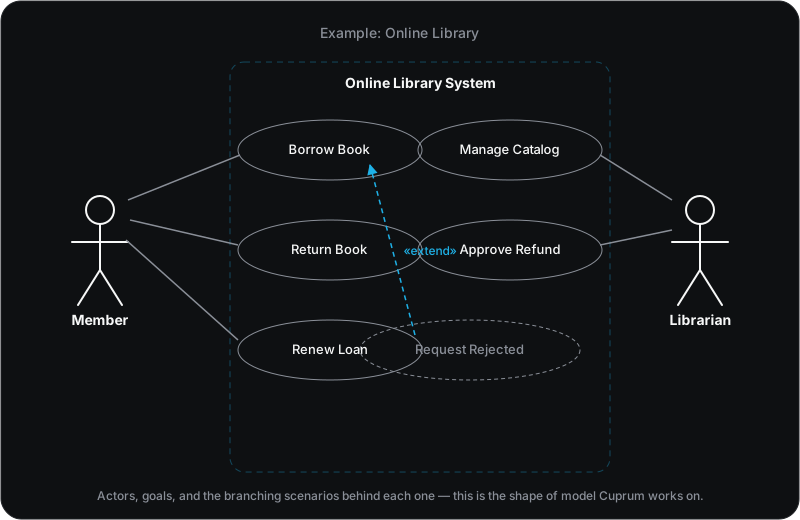
Cuprum (Cu, copper on the periodic table) is one of the AI assistants built on Alchemy, dedicated to one job: use case modeling, grounded in Jacobson and Cockburn’s Use Case 2.0 and extended with what teams actually need around it.
The chat and the artifact appear side by side
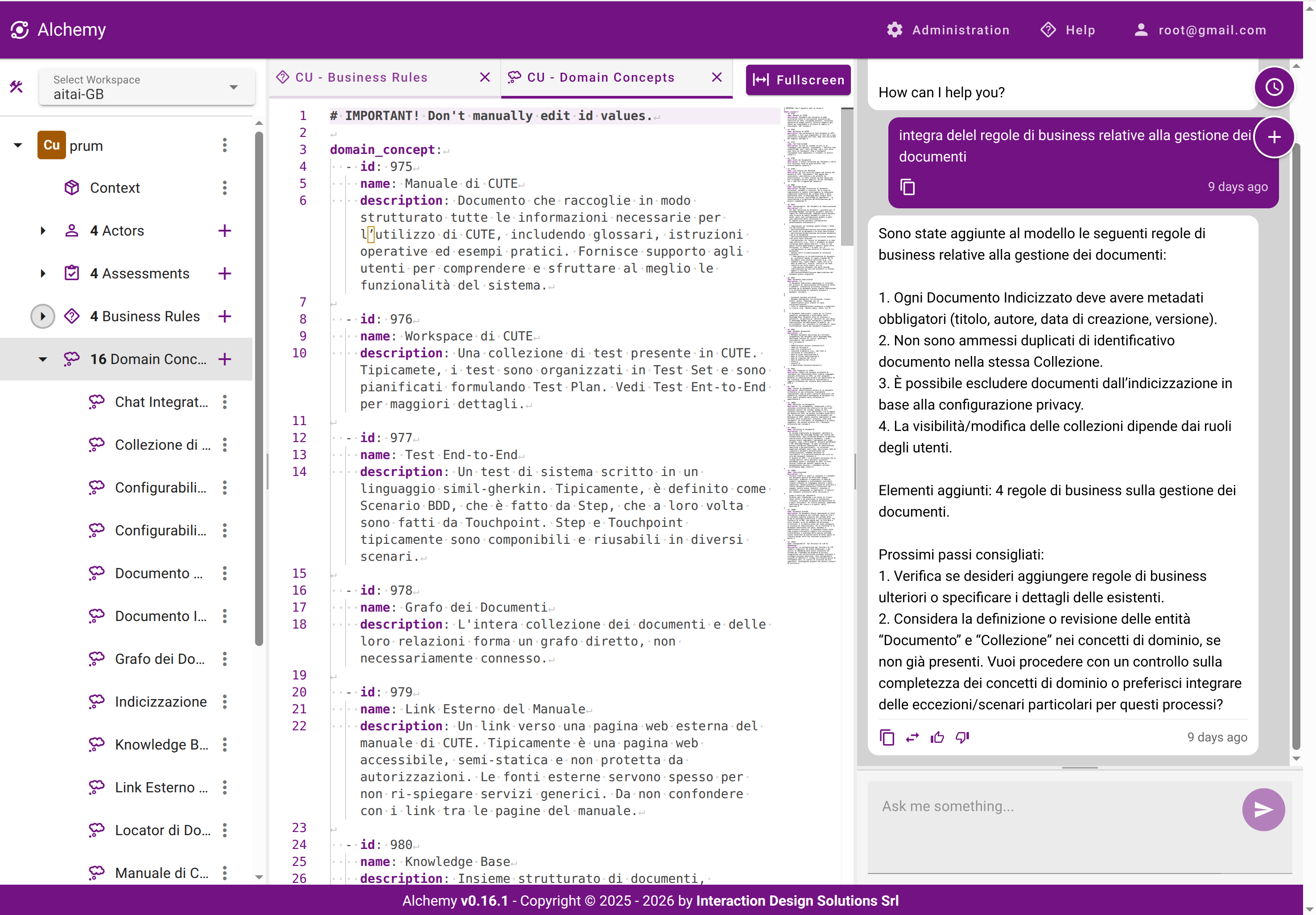
Cuprum proposes changes in the chat and the model updates right next to it, so you can see exactly what changed and why, without switching context.
Cuprum's chat panel proposing new business rules for a use case, next to the editable use-case artifact in the workspace

Every proposal is reviewable before it lands
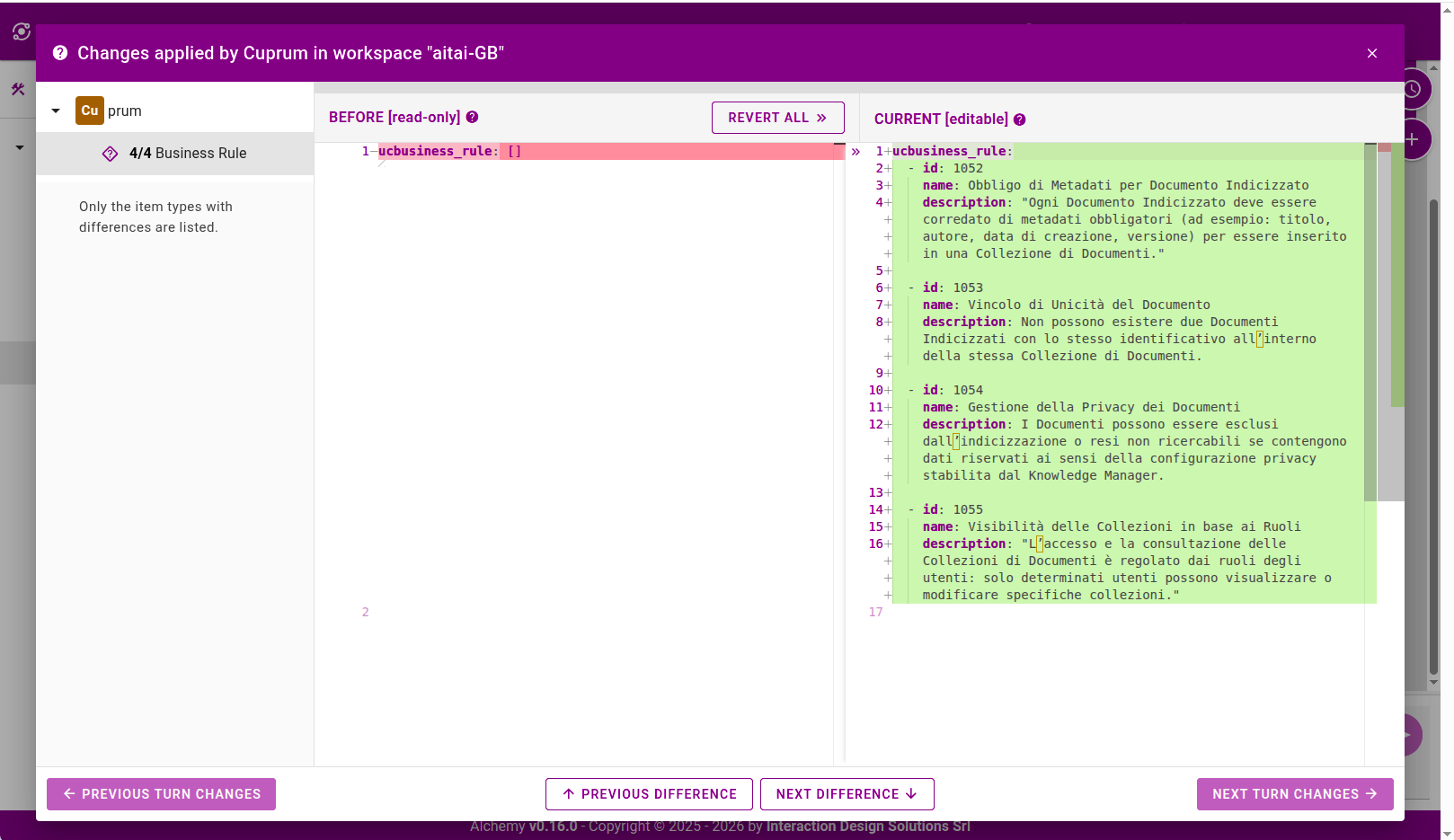
Every edit Cuprum makes can be shown as an explicit diff — before and current, side by side — with a one-click revert, so nothing lands in your model without a human seeing exactly what changed.
Cuprum's diff view showing business rules added by the assistant, with a before/current comparison and a revert option before the changes are accepted

Four ways Cuprum works with you

Create — but never behind your back
Add, edit, rename, remove. Say “what if” or “suppose” and Cuprum stays hands-off, handing you a proposal instead — a thinking partner, not an autopilot, so no AI-slop ever quietly pads your backlog.
Draft, review, and learn — on demand
Turn notes and transcripts into a first pass. Ask what’s missing or inconsistent. Ask “where am I?” any time and get an answer built from your own model, not a generic tutorial.
A team sport, not a solo act
Several people work the same model at once, alongside Cuprum. Comments live right where the discussion belongs, and every rated suggestion quietly reshapes how Cuprum works with your team next.
Slots into how you already work
Reachable from inside a Miro board instead of only its own screen. Exports to your own templates. Speaks the language your team actually uses.

Why use case modeling pays off

Buy certainty before you buy code

Plain business language gets the people funding the project and the people building it arguing about the same scope — before month three, not after. Acceptance criteria specific enough to sign off on. Edge cases surfaced while they’re still cheap to fix, the ones that quietly decide whether the finished product actually feels right to use.

A good use case model lets you verify you understood the problem before writing a line of code — the first of the three pillars software development rests on: understanding the problem, building the software, and verifying it solves the problem.

Know when it's the right tool
It earns its keep on interactive, actor-driven systems where several stakeholders need to agree and failure handling matters as much as the happy path. Skip it for pure algorithms or an idea that still needs a prototype more than a specification. Once written, the same model serves everyone at the depth they need — analysts validate it, architects and developers build from it, testers pull acceptance tests straight out of its scenarios.